Google Alerts alternative for smarter topic monitoring
Google Alerts is a simple way to monitor keywords on the web. But if you are looking for a Google Alerts alternative that can monitor broader topics, reduce noisy results and send structured summaries, earlymate is built for you.
Describe what you want to follow in your own words. Earlymate continuously searches for relevant keyword variations and languages, filters the results against your topic and sends focused email updates daily, weekly or monthly.
Start 14-day trial ➝Google Alerts vs earlymate: keyword alerts vs topic monitoring
Google Alerts is built around keyword matches. You create alerts for specific search terms and receive notifications when Google finds matching results. That makes it useful for simple keyword monitoring, especially when you already know the exact terms you want to track.
Earlymate is built around topic monitoring. Instead of manually creating and maintaining many keyword alerts, you describe the topic once in your own words. Earlymate then searches continuously using relevant keyword variations, related terms and languages.
This makes earlymate useful when your monitoring task is broader than one exact keyword - for example competitor news, company updates, regulatory changes, product launches, market signals or niche industry developments.
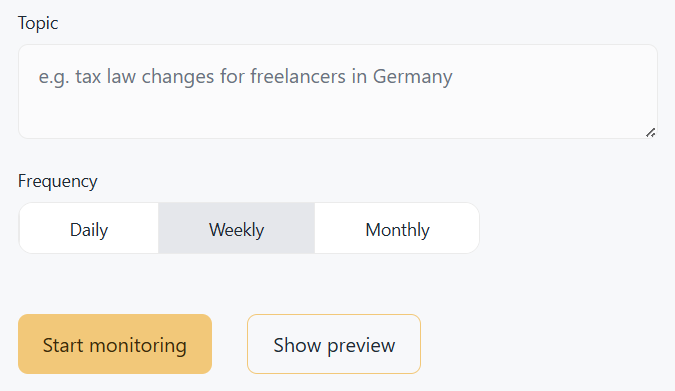
Google Alerts is designed to notify you when matching results appear. Earlymate sends focused updates at the time you choose - daily, weekly or monthly. That's how you can stay ahead of relevant changes without noise in your inbox.
How the results differ in practice
In practice, this leads to a few clear differences:
-
Simple setup
Describe your topic in a text field instead of manually creating several keyword combinations. -
Search across relevant terms
Earlymate includes related search terms and keyword variations, so you do not have to maintain every possible query yourself. -
Search across relevant languages
Earlymate can monitor relevant results across languages without requiring a separate manual alert setup for each language. -
Less noise
Search hits are filtered against your topic description, so only relevant events reach your inbox. -
Scheduled summaries
Updates arrive when they fit your workflow - daily, weekly or monthly.
Which tool is the better fit?
Google Alerts is still a reasonable option if you want a free and simple way to track exact keywords and do not mind reviewing the results manually. It can work well when your query is simple and speed matters more than structure.
Earlymate is the better alternative when you want ongoing topic monitoring instead of basic keyword alerts. You can follow more complex topics, search across relevant terms and languages, reduce repetitive results and understand developments as events instead of separate links.